Studio with Prisma ORM
Prisma Studio shows the migration history of your Prisma ORM database as a visual timeline. Select any applied migration to see the models it changed, the SQL it executed, and a diff of the schema before and after.
This guide takes you from an empty directory to inspecting your own migration history. For browsing, editing, and filtering data in general, see Getting Started.
The Migrations view requires @prisma/studio-core 0.32.0 or later, which ships in the stable Prisma CLI since 7.9. Run Studio with npx prisma@prev studio. See the Prisma ORM docs.
- Node.js installed
- A Prisma ORM project on PostgreSQL
Create the project, and answer No to Deploy to Prisma now?:
bun create prisma@latestpnpm create prisma@latestyarn create prisma@latestnpm create prisma@latestTo skip the prompts:
bun create prisma@latest my-app --yes --provider postgres --authoring psl --template minimalpnpm create prisma@latest my-app --yes --provider postgres --authoring psl --template minimalyarn create prisma@latest my-app --yes --provider postgres --authoring psl --template minimalnpm create prisma@latest -- my-app --yes --provider postgres --authoring psl --template minimalThis scaffolds a data model at src/prisma/contract.prisma, authored in PSL.
Next, create a Prisma Postgres database and export its connection string. The generated scripts and the CLI read the environment variable, not .env:
This scaffolds a data model at src/prisma/contract.prisma, authored in PSL.
Next, create a Prisma Postgres database and export its connection string. The generated scripts and the CLI read the environment variable, not .env:
bunx create-db@latestpnpm dlx create-db@latestyarn dlx create-db@latestnpx create-db@latestexport DATABASE_URL="<the connection string create-db printed>"The database expires after 24 hours unless you claim it; create-db prints a claim URL to keep it and attach it to your Prisma Console account.
export DATABASE_URL="<the connection string create-db printed>"The database expires after 24 hours unless you claim it; create-db prints a claim URL to keep it and attach it to your Prisma Console account.
The scaffolded contract defines a User and a Post model. Compile it, plan a migration, and apply it:
bunx prisma contract emit

bunx prisma migration plan --name init_users_posts

bunx prisma db migrate --advance-ref db
pnpm prisma contract emit
pnpm prisma migration plan --name init_users_posts
pnpm prisma db migrate --advance-ref dbyarn prisma contract emit
yarn prisma migration plan --name init_users_posts
yarn prisma db migrate --advance-ref dbnpx prisma contract emit
npx prisma migration plan --name init_users_posts
npx prisma db migrate --advance-ref dbThe CLI confirms the apply:
Applied 6 operation(s) across 1 contract space--advance-ref db records where your database is by advancing a ref, so the next plan produces a delta instead of recreating everything.
Add an enum and two fields to src/prisma/contract.prisma:
enum Role {

  USER

  EDITOR

  ADMIN

}

model User {

  id        Int      @id @default(autoincrement())

  email     String   @unique

  username  String?

  name      String?

  bio       String?

  role      Role     @default(USER)

  posts     Post[]

  createdAt DateTime @default(now())

  updatedAt temporal.updatedAt()

}

model Post {

  id        Int      @id @default(autoincrement())

  title     String

  content   String?

  published Boolean  @default(false)

  author    User     @relation(fields: [authorId], references: [id])

  authorId  Int

  createdAt DateTime @default(now())

  updatedAt temporal.updatedAt()

}Compile the updated contract, plan, and apply:
bunx prisma contract emit

bunx prisma migration plan --name add_roles_and_publishing

bunx prisma db migrate --advance-ref dbpnpm prisma contract emit
pnpm prisma migration plan --name add_roles_and_publishing
pnpm prisma db migrate --advance-ref dbyarn prisma contract emit
yarn prisma migration plan --name add_roles_and_publishing
yarn prisma db migrate --advance-ref dbnpx prisma contract emit
npx prisma migration plan --name add_roles_and_publishing
npx prisma db migrate --advance-ref dbBecause the db ref was advanced in the previous step, the planner produces a delta: four ALTER TABLE operations that add the new columns and the enum's check constraint. To edit a planned migration before it runs, for example to add a backfill, see Editing a migration.
[!WARNING] Plans start from empty without a starting point
Without a
dbref and without--from,migration plancompares against an empty database and recreates every table. If that happens, delete the planned migration directory and re-plan with--from <previous-migration-dir>, for example--from 20260716T1155_init_users_posts. See The db ref.
Because the db ref was advanced in the previous step, the planner produces a delta: four ALTER TABLE operations that add the new columns and the enum's check constraint. To edit a planned migration before it runs, for example to add a backfill, see Editing a migration.
Migration history is easier to read next to real rows. The scaffold seeds sample users automatically the first time the app queries the database, so run the app once and hit its endpoint:
bun run devpnpm run devyarn devnpm run devOpen the URL the command prints; the seeded users come back through the Prisma ORM client. Then stop the dev server. See Writing data for the query API.
Open the URL the command prints; the seeded users come back through the Prisma ORM client. Then stop the dev server. See Writing data for the query API.
A Prisma ORM 8 project has no schema.prisma, so pass the connection string with --url. Run Studio from a directory outside the project: the Prisma ORM 7 CLI that ships Studio cannot read the Prisma ORM 8 prisma.config.ts and fails if it finds one:
cd .. && npx prisma@prev studio --url "$DATABASE_URL"Studio prints the local URL it serves on. Once the database has at least one applied migration, a Migrations item appears in the left navigation.
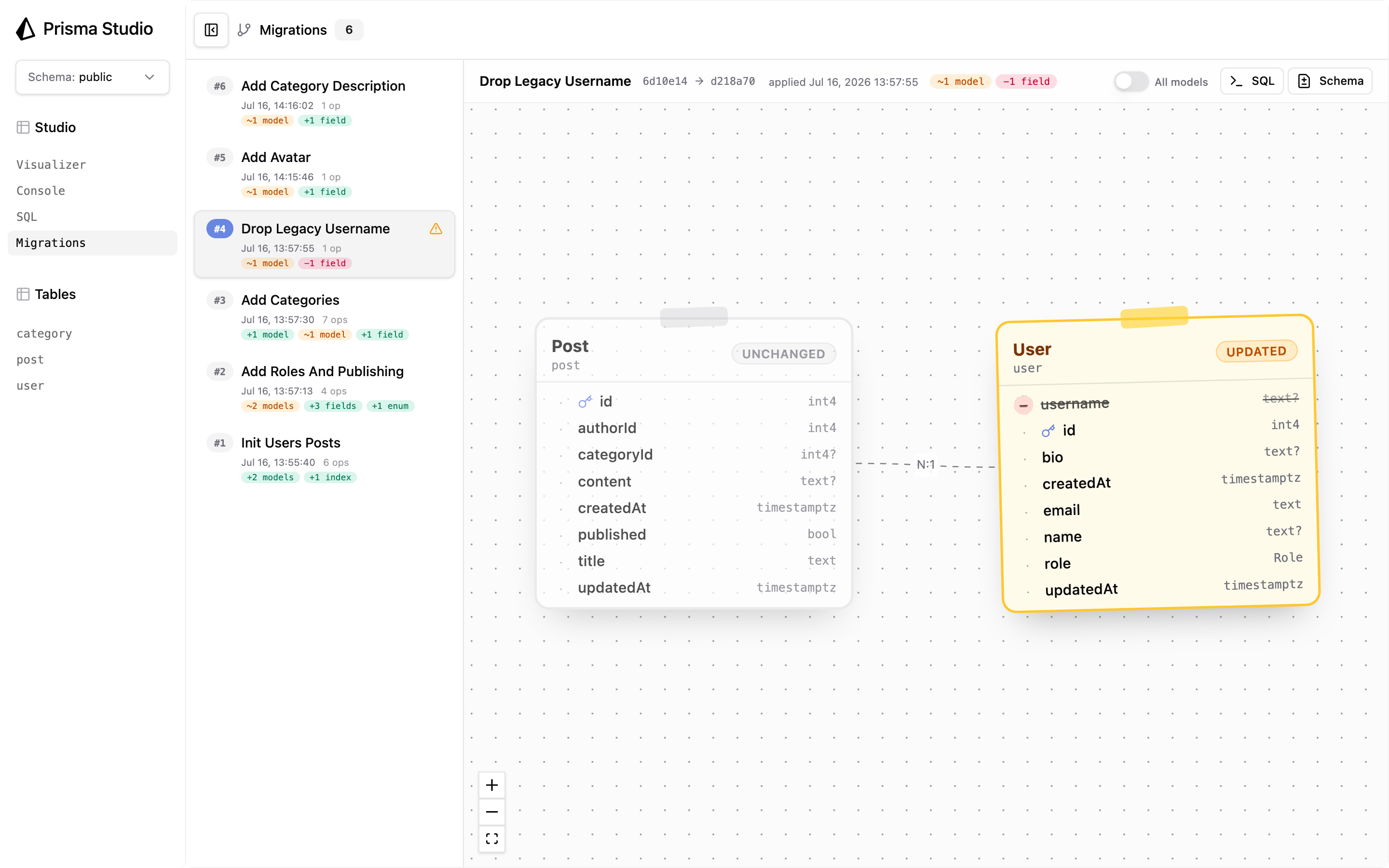
Open Migrations. The timeline lists every applied migration, newest first, with its name, apply time, operation count, and chips summarizing the change: +1 model, ~2 models, +3 fields, +1 enum, −1 field. A ⚠️ marker flags migrations that contain a destructive change, so a dropped column is visible before you select anything. If a destructive migration needs undoing, see Rollbacks and recovery.
The selected migration is part of the URL, so you can link a teammate straight to it:
http://localhost:5555/#view=migrations&migration=3Select a migration to see the schema as that migration changed it:
- NEW (green): a model the migration added.
- UPDATED (amber): a model whose table changed, with
+,−, and~glyphs on the affected fields andbefore → afterpills for changed types, nullability, or defaults. - UNCHANGED (dimmed): neighboring models drawn for context.
- Enum cards, and relation edges between visible models.
Amber always means the migration changed that model's table. A model that only gained a back-relation, where the foreign key lives on the other table, stays dimmed, and the new relation edge is emphasized instead.
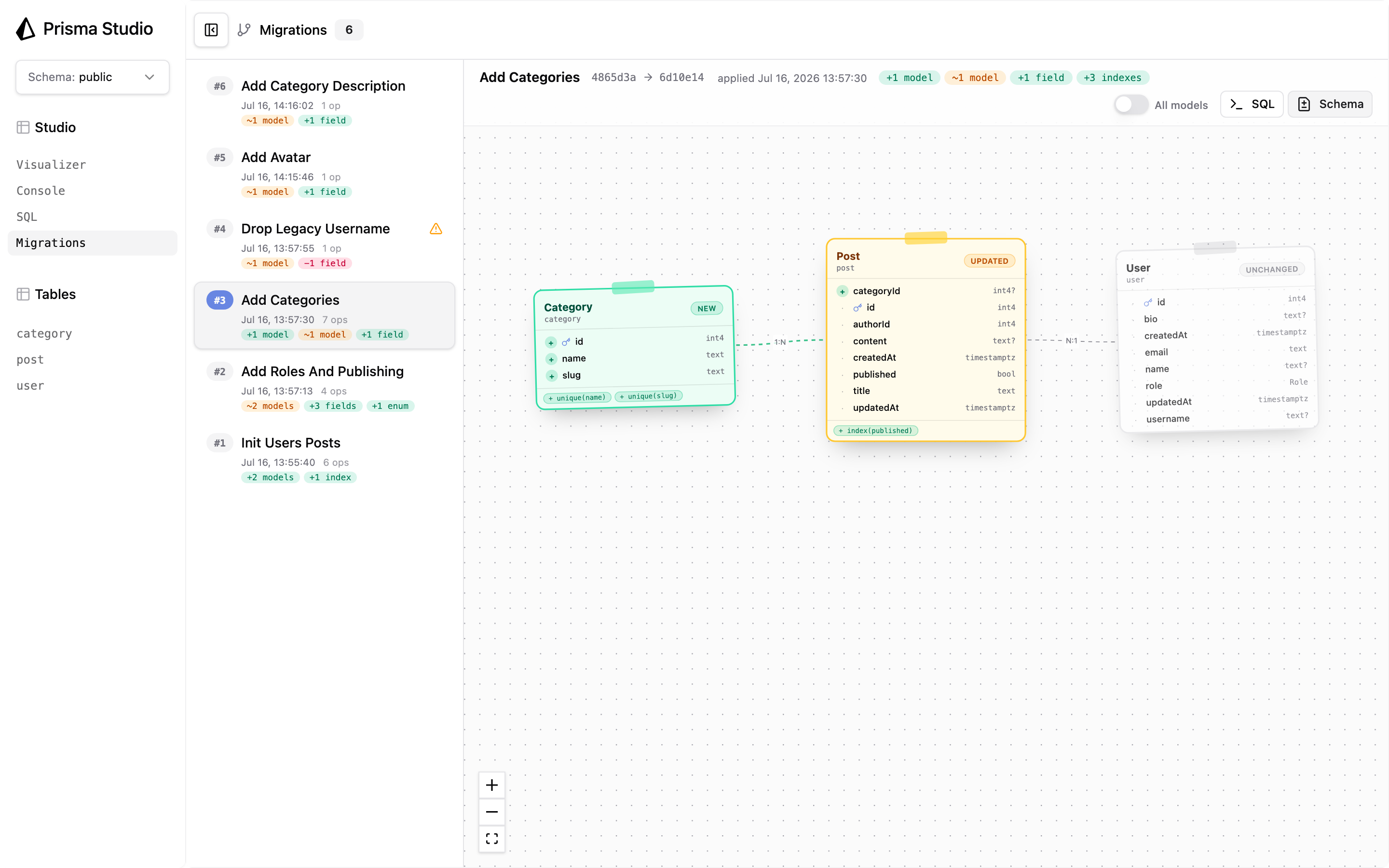
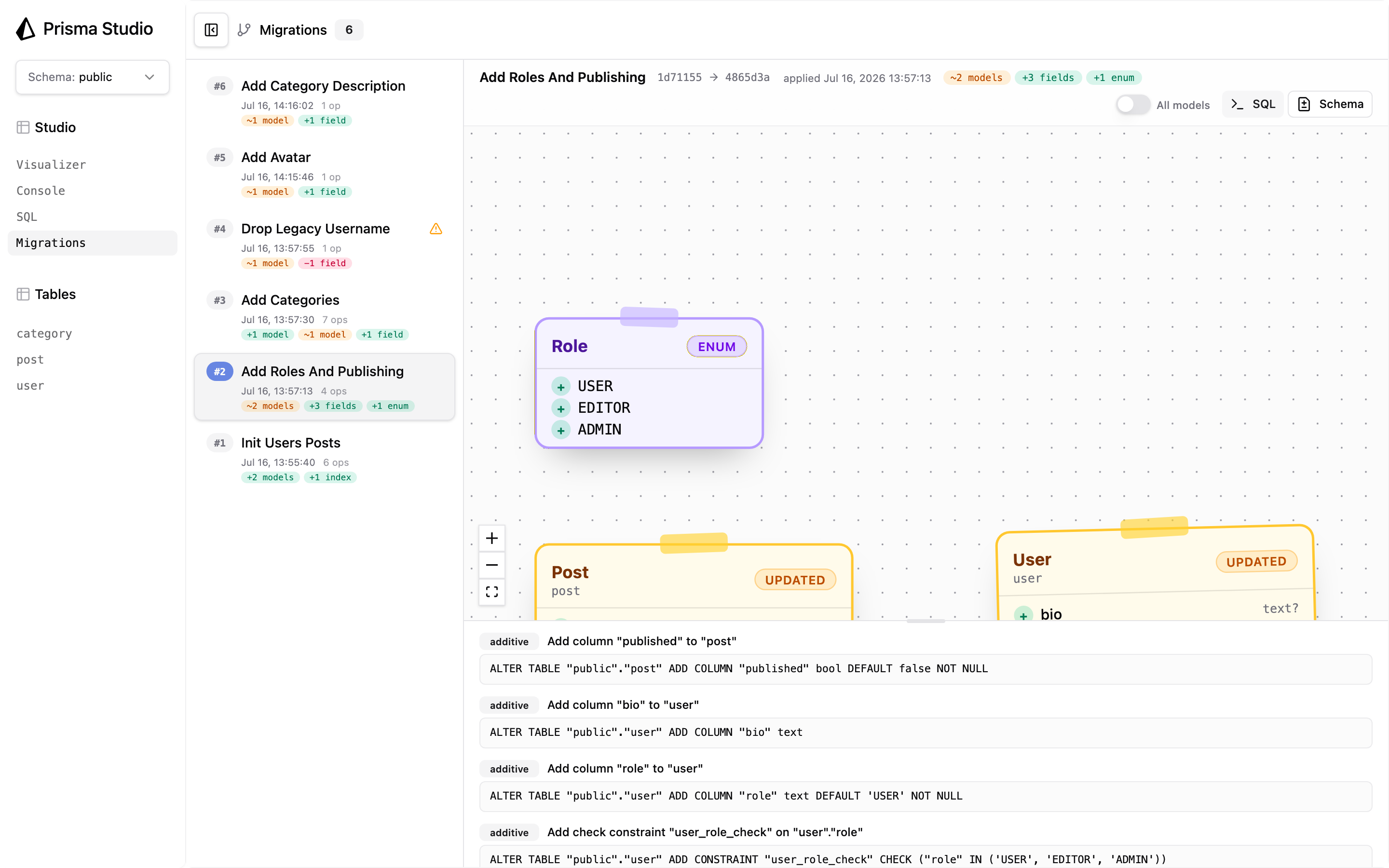
By default the view shows only the models the migration touched plus their direct neighbors. Toggle All models to see the entire schema as it stood at that point in history, including unchanged enums.
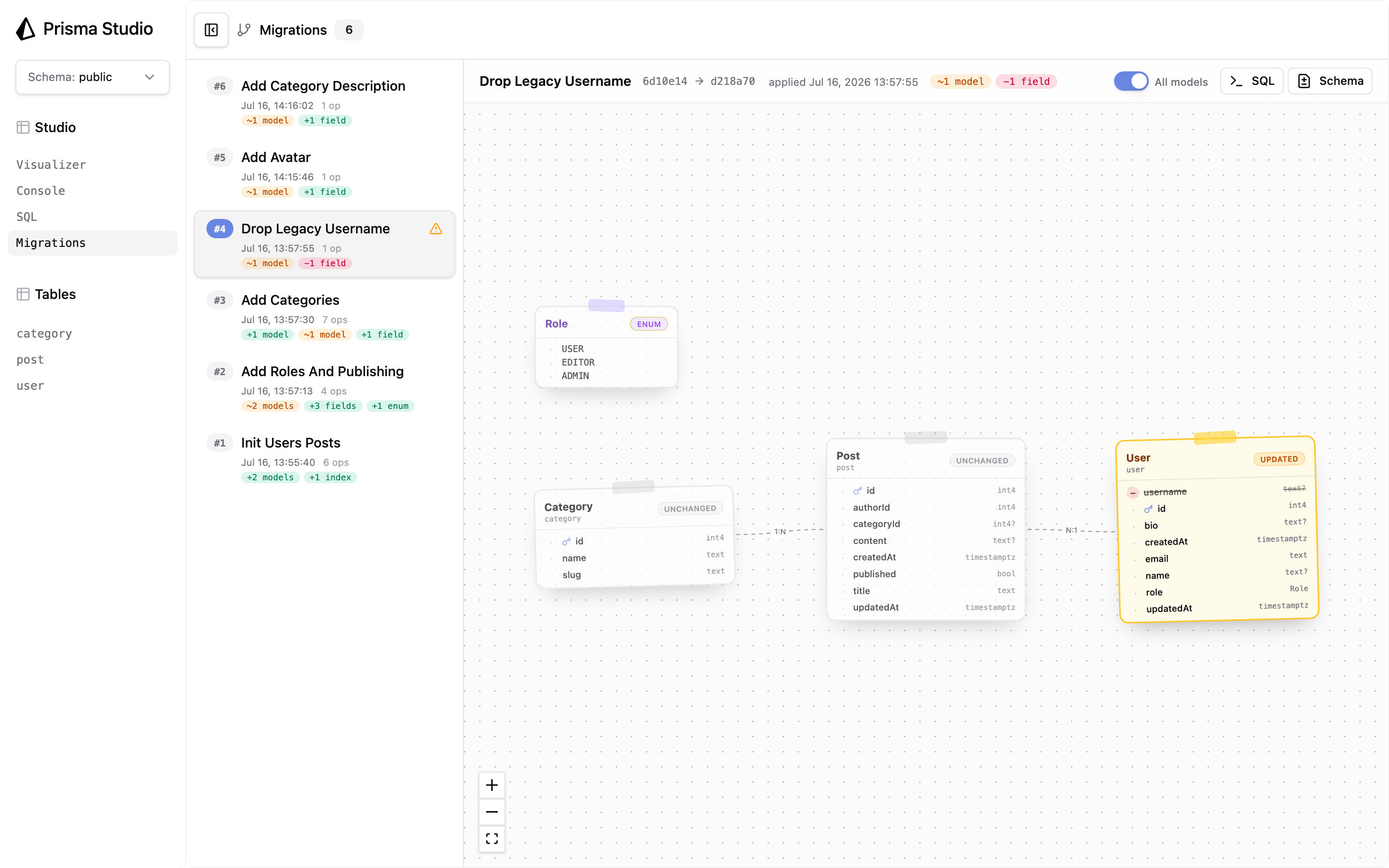
Open the SQL panel to see the operations exactly as they ran, each labelled additive or destructive. This is the same SQL the migration runner executed; How migrations work explains how those operations are planned and checked.
Open the Schema panel to see a Prisma-schema diff between the migration's before and after state. Long unchanged runs collapse into folds you can click to expand.
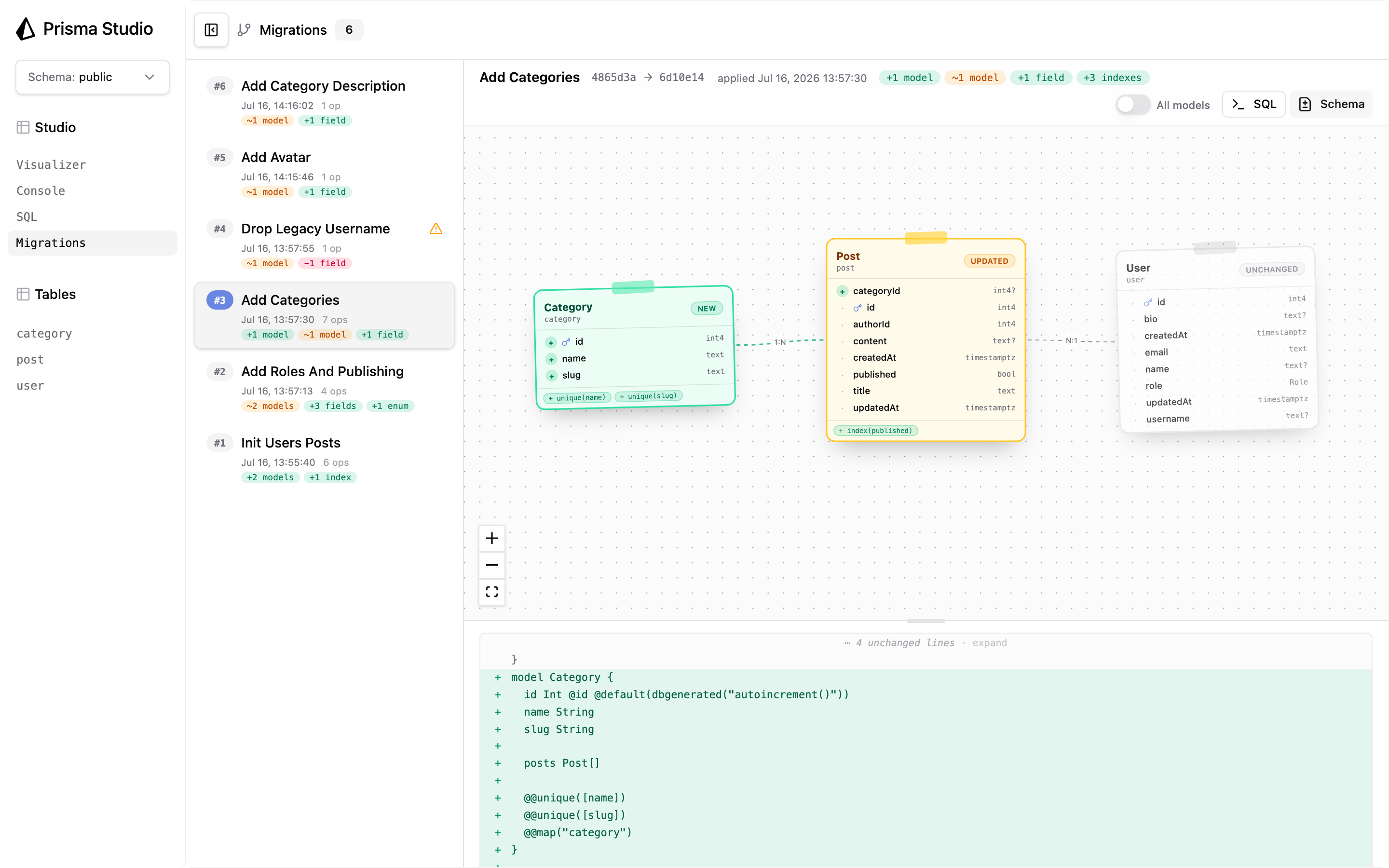
The diff is built for stable comparison and is not a copy of your source file. It uses a fixed field order and renders some attributes in expanded form, such as @default(dbgenerated("autoincrement()")).
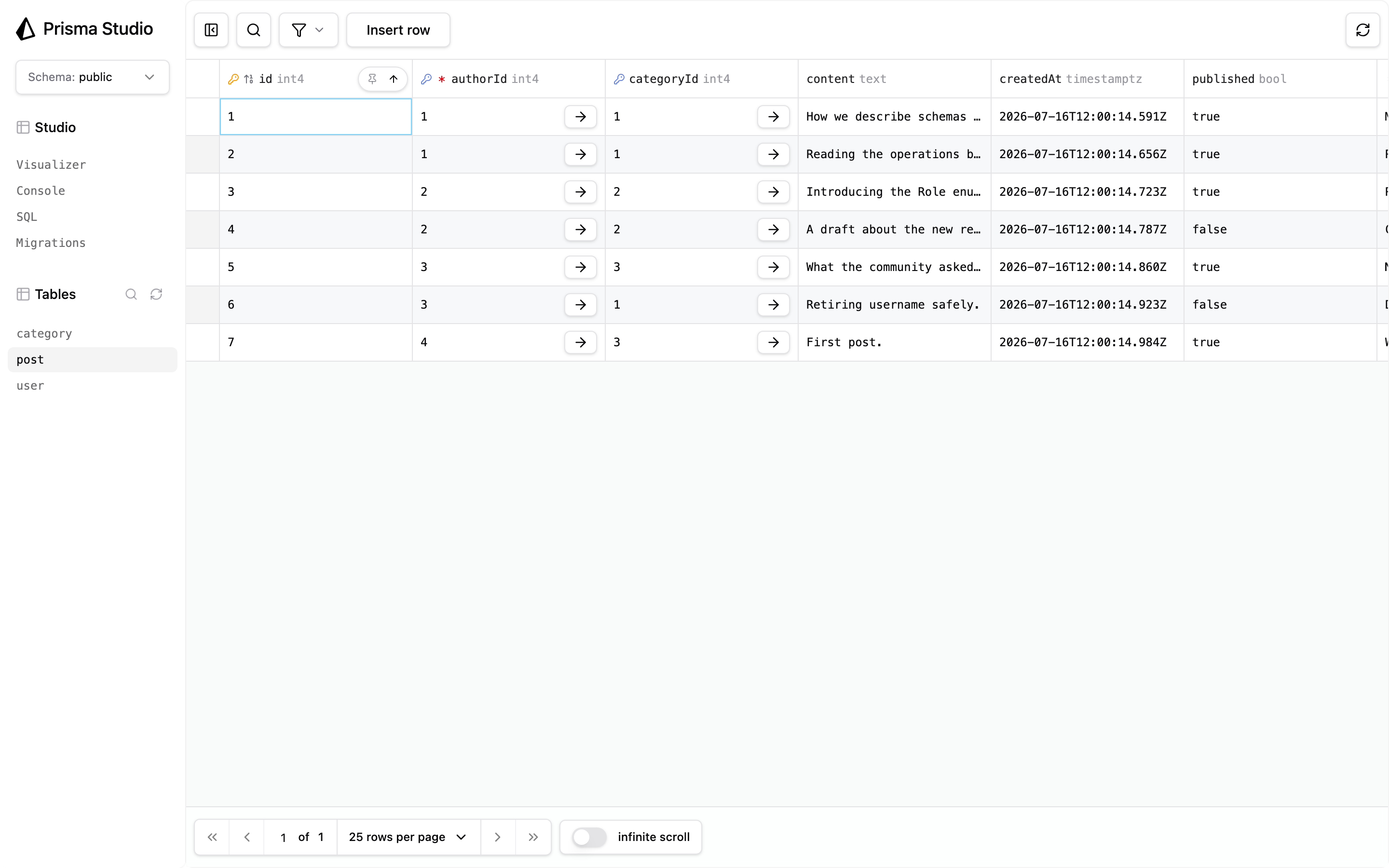
Your tables are in the same Studio session under Tables. Move between what a migration changed and the rows it produced without leaving the app. Getting Started covers editing, filtering, and exporting.
Prisma ORM records every apply in two tables in your database:
prisma_contract.ledger: one row per applied migration, with its name, apply time, executed operations, and the schema versions it moved between.prisma_contract.contract: each schema version, stored once and keyed by hash.
Studio joins the two to build the timeline and the diffs. Because everything is read from the database, the history of any database you connect to is complete, including migrations you never ran yourself. These table names are also where to look if you inspect the history over SQL.
The hashes are the same ones that make Prisma ORM migrations a graph rather than a numbered list; the design story is in Rethinking Database Migrations.
| Surface | Available |
|---|---|
Local Studio (npx prisma@prev studio) |
Yes, with @prisma/studio-core 0.32.0 or later |
| Prisma Console (embedded Studio) | Yes, for databases with an applied Prisma ORM migration history |
Prisma ORM projects using prisma migrate |
No |
In Prisma Console, open your database's Studio tab and select Migrations. The view is the same as local Studio, the selected migration is part of the Console URL, and no local setup is required.
The stable Prisma CLI bundles the Migrations view since 7.9 (@prisma/studio-core 0.33.0). Run npx prisma@prev studio from a directory outside your Prisma ORM 8 project; the Prisma ORM 7 CLI cannot read the Prisma ORM 8 prisma.config.ts.
- Prisma ORM 8 on PostgreSQL only. Prisma ORM 7 projects using
prisma migraterecord history in a different format, and Studio does not support MongoDB, where Prisma ORM 8 stores its history differently. - Applied migrations only. A planned but unapplied migration is not in the database, so it does not appear.
- An empty history hides the view. The Migrations item appears only after the first applied migration.
- Older databases lose the diffs. If the database was migrated by a Prisma ORM 8 version that predates schema snapshots, the timeline and SQL panel still work, and the diff canvas asks you to update Prisma ORM. Migrations applied after the update render normally.