About the shadow database
The shadow database is a second, temporary database that is created and deleted automatically* each time you run prisma migrate dev and is primarily used to detect problems such as schema drift or potential data loss of the generated migration.
migrate diff command also requires a shadow database when diffing against a local migrations directory with --from-migrations or --to-migrations.
- If your database does not allow creation and deleting of databases (e.g. in a cloud-hosted environment), you need to create and configure the shadow database manually.
When you run prisma migrate dev to create a new migration, Prisma Migrate uses the shadow database to:
- Detect schema drift, which means checking that no unexpected changes have been made to the development database
- Generate new migrations and evaluate if those could lead to data loss when applied
🎨 Expand to see the shadow database explained as a cartoon.
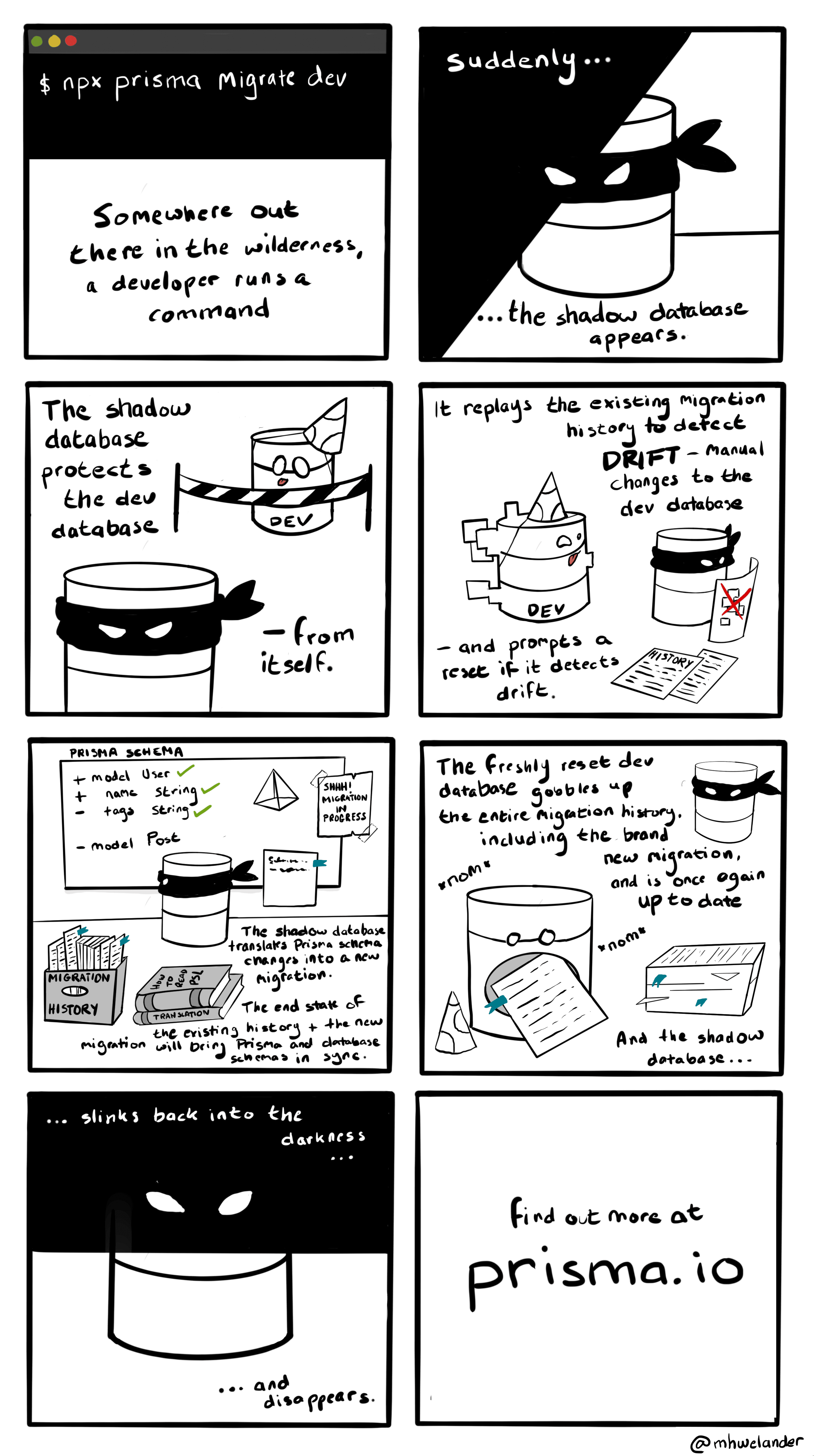
To detect drift in development, Prisma Migrate:
- Creates a fresh copy of the shadow database (or performs a soft reset if the shadow database is configured via
shadowDatabaseUrl) - Reruns the current, existing migration history in the shadow database.
- Introspects the shadow database to generate the 'current state' of your Prisma schema.
- Compares the end state of the current migration history to the development database.
- Reports schema drift if the end state of the current migration history (via the shadow database) does not match the development database (for example, due to a manual change)
If Prisma Migrate does not detect schema drift, it moves on to generating new migrations.
Note: The shadow database is not responsible for checking if a migration file has been edited or deleted. This is done using the
checksumfield in the_prisma_migrationstable.
If Prisma Migrate detects schema drift, it outputs detailed information about which parts of the database have drifted. The following example output could be shown when the development database has been modified manually: The Color enum is missing the expected variant RED and includes the unexpected variant TRANSPARENT:
[*] Changed the `Color` enum

  [+] Added variant `TRANSPARENT`

[-] Removed variant `RED`Assuming Prisma Migrate did not detect schema drift, it moves on to generating new migrations from Prisma schema changes. To generate new migrations, Prisma Migrate:
- Calculates the target database schema as a function of the current Prisma schema.
- Compares the end state of the existing migration history and the target schema, and generates steps to get from one to the other.
- Renders these steps to a SQL string and saves it in the new migration file.
- Evaluate data loss caused by the SQL and warns about that.
- Applies the generated migration to the development database (assuming you have not specified the
--create-onlyflag) - Drops the shadow database (shadow databases configured via
shadowDatabaseUrlare not dropped, but are reset at the start of themigrate devcommand)
In some cases it might make sense (e.g. when creating and dropping databases is not allowed on cloud-hosted databases) to manually define the connection string and name of the database that should be used as the shadow database for migrate dev. In such a case you can:
- Create a dedicated database that should be used as the shadow database
- Add the connection string of that database your environment variable
SHADOW_DATABASE_URL(or.envfile) - In Prisma 7, configure the
shadowDatabaseUrlfield inprisma.config.tsunder thedatasourceobject. In Prisma 6 and below, add theshadowDatabaseUrlfield to thedatasourceblock in yourschema.prismafile.
import "dotenv/config";

import { defineConfig, env } from "prisma/config";

export default defineConfig({

  schema: "prisma/schema.prisma",

  migrations: {

    path: "prisma/migrations",

  },

  datasource: {

    url: env("DATABASE_URL"),

    shadowDatabaseUrl: env("SHADOW_DATABASE_URL"),

  },

});datasource db { provider = "postgresql" shadowDatabaseUrl = env("SHADOW_DATABASE_URL")}Important: Do not use the exact same values for
urlandshadowDatabaseUrlas that might delete all the data in your database.
Important: Do not use the exact same values for
urlandshadowDatabaseUrlas that might delete all the data in your database.
Cloud-hosted shadow databases must be created manually
Section titled “Cloud-hosted shadow databases must be created manually”Some cloud providers do not allow you to drop and create databases with SQL. Some require to create or drop the database via an online interface, and some limit you to one database. If you develop in such a cloud-hosted environment, you must:
- Create a dedicated cloud-hosted shadow database
- Add the URL to your environment variable
SHADOW_DATABASE_URL - In Prisma 7, configure the
shadowDatabaseUrlfield inprisma.config.tsunder thedatasourceobject. In Prisma 6 and below, add theshadowDatabaseUrlfield to thedatasourceblock in yourschema.prismafile.
import "dotenv/config";

import { defineConfig, env } from "prisma/config";

export default defineConfig({

  schema: "prisma/schema.prisma",

  migrations: {

    path: "prisma/migrations",

  },

  datasource: {

    url: env("DATABASE_URL"),

    shadowDatabaseUrl: env("SHADOW_DATABASE_URL"),

  },

});datasource db { provider = "postgresql" shadowDatabaseUrl = env("SHADOW_DATABASE_URL")}Important: Do not use the same values for
urlandshadowDatabaseUrl.
Important: Do not use the same values for
urlandshadowDatabaseUrl.
In order to create and delete the shadow database when using migrate dev, Prisma Migrate currently requires that the database user defined in your datasource has permission to create databases.
| Database | Database user requirements |
|---|---|
| SQLite | No special requirements. |
| MySQL/MariaDB | Database user must have CREATE, ALTER, DROP, INDEX, and REFERENCES on shadow databases (see MySQL/MariaDB shadow database privileges below) |
| PostgreSQL | The user must be a super user or have CREATEDB privilege. See CREATE ROLE (PostgreSQL official documentation) |
| Microsoft SQL Server | The user must be a site admin or have the SERVER securable. See the official documentation. |
When Prisma Migrate creates shadow databases automatically during migrate dev, it names them prisma_migrate_shadow_db_<id>. Grant the required privileges on that name pattern instead of on all databases (*.*):
GRANT CREATE, ALTER, DROP, INDEX, REFERENCES ON `prisma_migrate_shadow_db%`.* TO 'user'@'%';INDEX is required because generated migrations create and drop indexes with standalone CREATE INDEX and DROP INDEX statements, which the CREATE and ALTER privileges alone do not permit.
If you configure a dedicated shadow database with shadowDatabaseUrl, grant the same privileges on that database (for example `myapp_shadow`.*) instead of on the prisma_migrate_shadow_db% pattern.
Wildcard database names in GRANT are deprecated in MySQL as of 8.0.35, and when the partial_revokes system variable is enabled MySQL treats % as a literal character, so the grant above no longer matches the generated shadow database names. On such servers, configure a dedicated shadow database with shadowDatabaseUrl and grant the privileges on that database by name. See Database privileges in the MySQL GRANT reference. MariaDB supports wildcard database names without these caveats.
If you use a cloud-hosted database for development and can not use these permissions, see: Cloud-hosted shadow databases
Note: The automatic creation of shadow databases is disabled on Azure SQL for example.
Prisma Migrate throws the following error if it cannot create the shadow database with the credentials your connection URL supplied:
Error: A migration failed when applied to the shadow database

Database error: Error querying the database: db error: ERROR: permission denied to create database
To resolve this error:
- If you are working locally, we recommend that you update the database user's privileges.
- If you are developing against a database that does not allow creating and dropping databases (for any reason) see Manually configuring the shadow database
- If you are developing against a cloud-based database (for example, on Heroku, Digital Ocean, or Vercel Postgres) see: Cloud-hosted shadow databases.
- If you are developing against a cloud-based database (for example, on Heroku, Digital Ocean, or Vercel Postgres) and are currently prototyping such that you don't care about generated migration files and only need to apply your Prisma schema to the database schema, you can run
prisma db pushinstead of theprisma migrate devcommand.
Important: The shadow database is only required in a development environment (specifically for the
prisma migrate devcommand) - you do not need to make any changes to your production environment.